Configuring EYE beacons And Adding them to the platform
EYE App Configuration
Devices work constantly and are ready to perform out of the box. Default basic Sensor settings are set to:
• Transmitting at 2 dBm power.• Data advertising at 3 second intervals.
f you would like to change these settings you will need to:
1) Download and install EYE APP - Teltonika application to change sensor settings.
Eye App Overview
Configuring device
These are instructions on how to easily configure EYE beacon with Teltonika Configurator on GH5200 device.
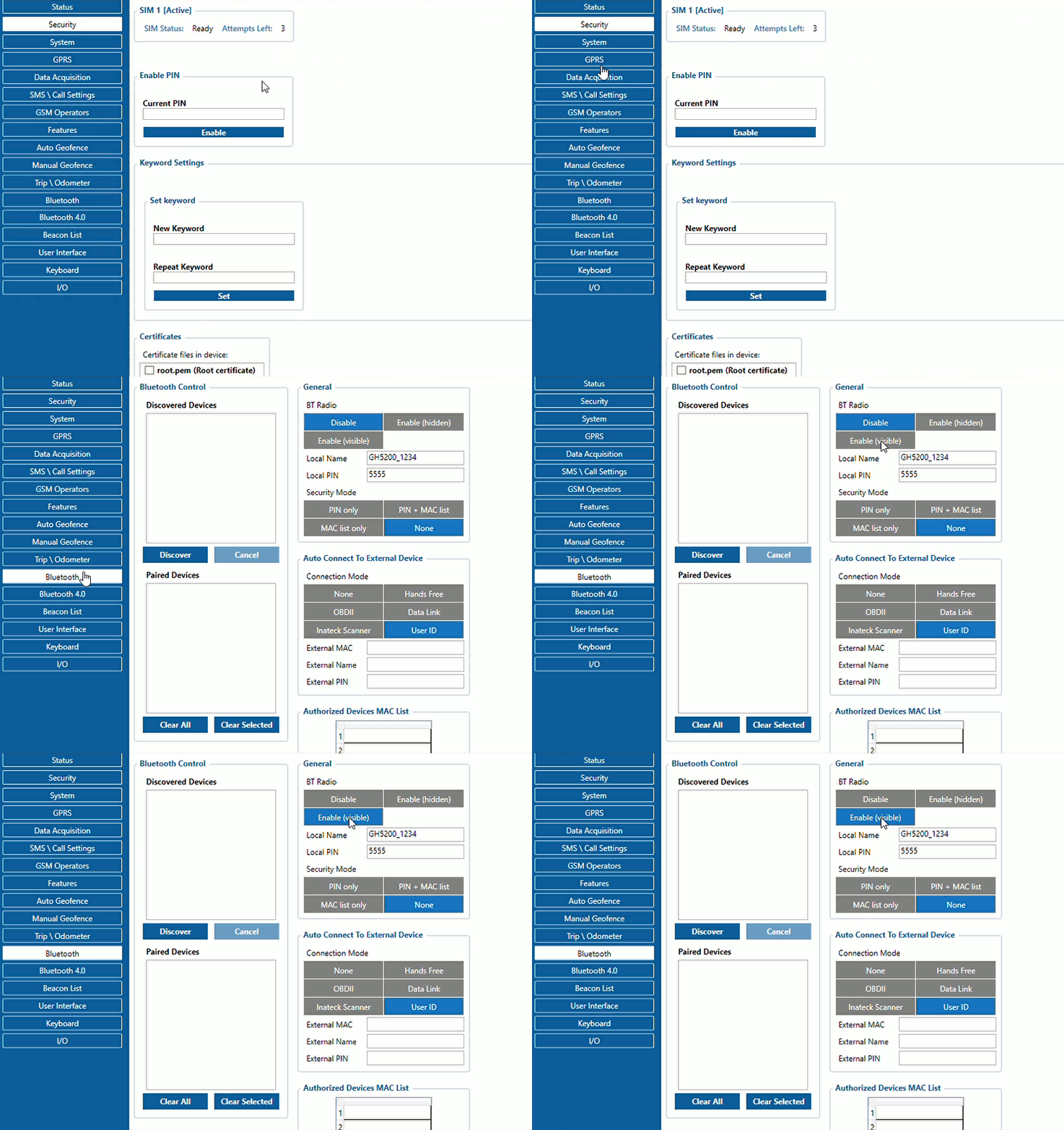
1. First the device Bluetooth® settings need to be configured. These are the required steps:
- Press Bluetooth® settings
- Turn on BT Radio by pressing Enable (hidden) or Enable (visible)
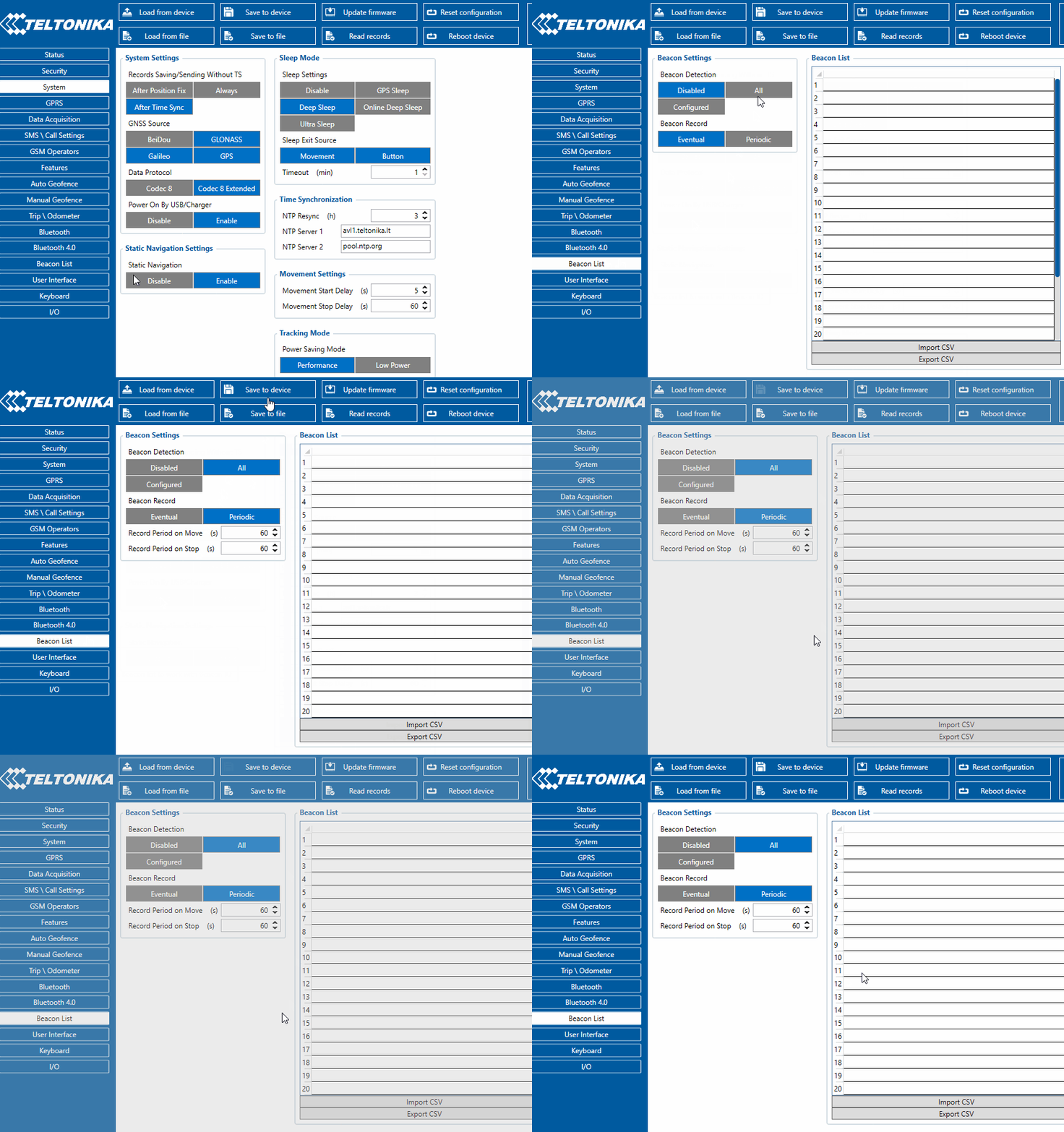
2. Press Beacon list tab.
- Select
AllorConfigured(for seeing only preferred beacons) in Beacon Detection options. - If you have selected
Configuredto see preferred beacons, you must add beacons to the Beacons list. - Select
Periodicoption - Set Periodic settings according to your needs.
- After all these steps press Save to device to save the configuration.
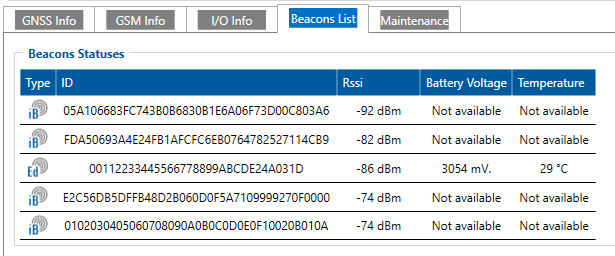
Now you can see detected Beacons in Status -> Beacons List
Adding beacon to the server
Follow the link below for an article to add device to the platform How to add beacons