Daylight saving setup-howen devices
How to Configure Daylight Saving Time (DST) on Howen Devices
Overview
This article describes how to configure Daylight Saving Time (DST) on Howen devices for customers located, for example, in Belgium.
Belgium follows Central European Time (CET, GMT+1) and observes Daylight Saving Time (DST), switching to Central European Summer Time (CEST, GMT+2) during the summer months.
This article can also be used for customers in France, Germany, Netherlands, Luxembourg, Spain, Italy, and other CET/CEST countries with the same DST rules.
Configuration Steps
Log in to the Howen device web interface.
ensure under Network the report UTC 0 toggle is set to off
Navigate to:
System Management → Clock
Configure the following parameters:
| Parameter | Value |
|---|---|
| Time Sync | GPS |
| Time Zone | GMT+1 |
| NTP Address | www.ntp.com |
| NTP Port | 123 |
| DST | Enable |
| Offset Time | 60 minutes |
DST Start Settings
Belgium begins DST on the last Sunday of March.
| Parameter | Value |
|---|---|
| Month | 3 |
| Week | 5 (Last Week) |
| Day | Sunday |
| Hour | 2 |
DST End Settings
Belgium ends DST on the last Sunday of October.
| Parameter | Value |
|---|---|
| Month | 10 |
| Week | 5 (Last Week) |
| Day | Sunday |
| Hour | 3 |
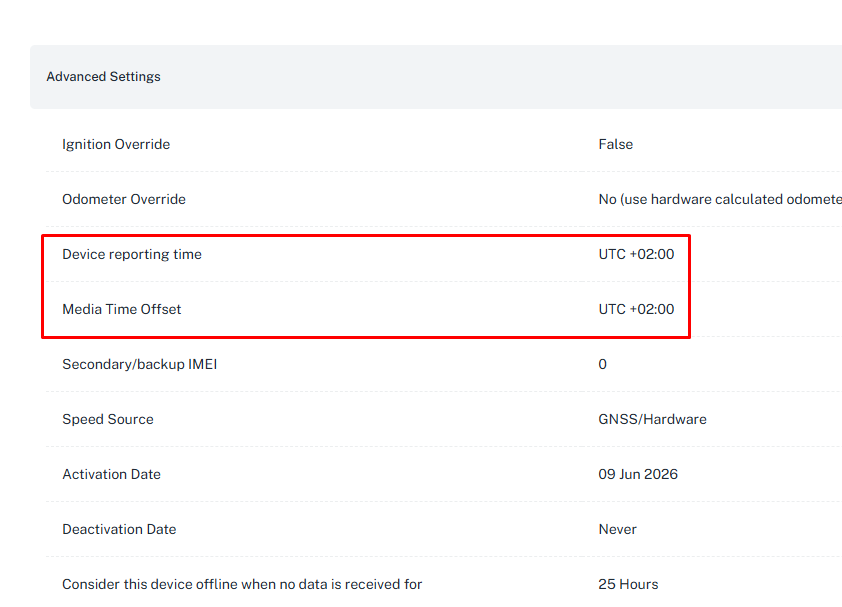
Ensure on the platform you have an offset of UTC +2
Expected Behavior
During standard time, the device operates at GMT+1 (CET).
When DST starts, the device automatically advances the clock by 60 minutes, effectively operating at GMT+2 (CEST).
When DST ends, the device automatically reverts to GMT+1 (CET).